
Call to action buttons
Call to actions are a customisable feature, available across several places on your platform.
These are edited by Made Open, so let your NI know what text, icons and links you'd like to use and they will set them up for you.
Homepage CTAs
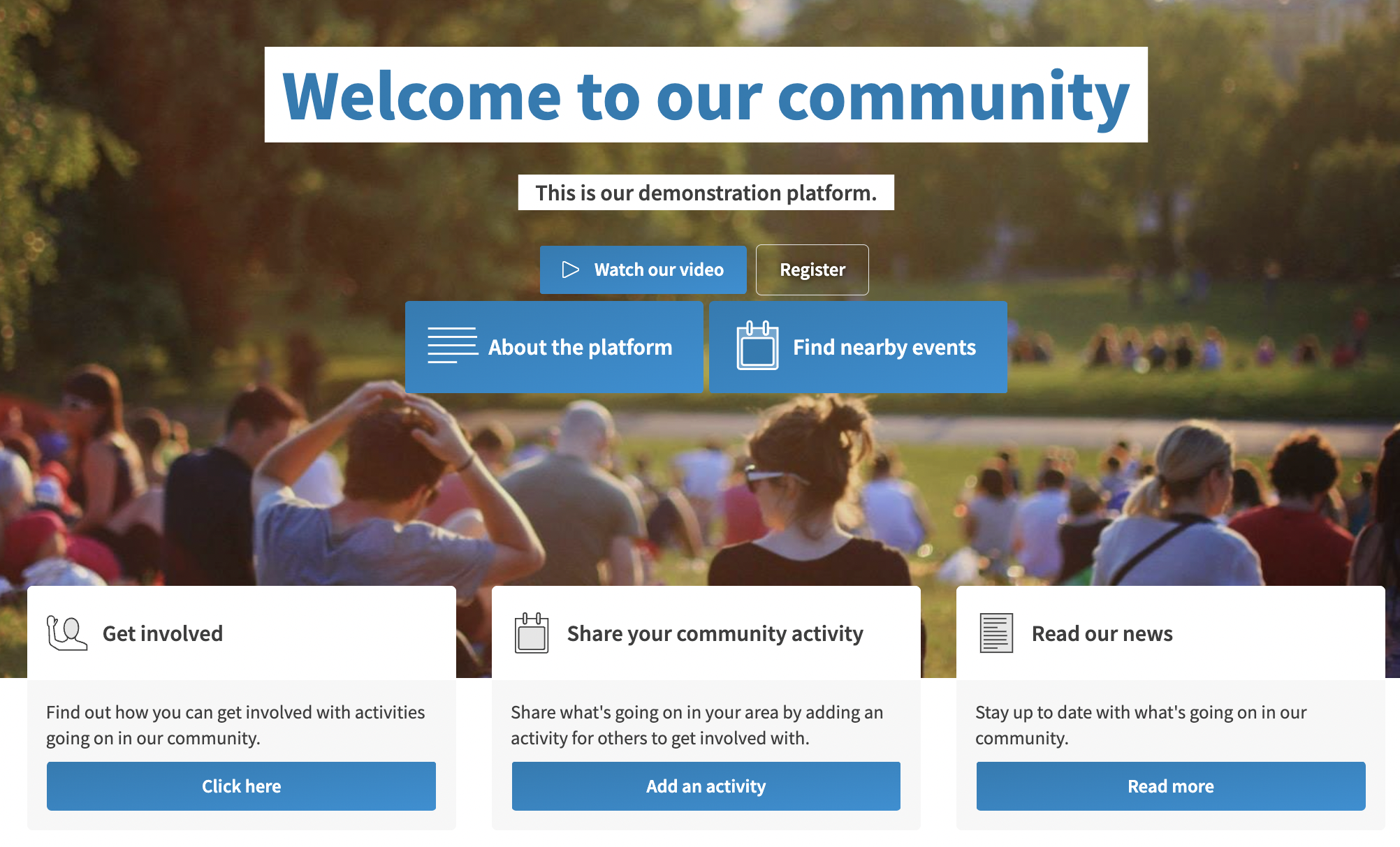
There are two places for CTAs on the homepage - the main coloured buttons over the photo, or the white/grey/coloured button boxes underneath the image.
For these CTAs, we need:
- Title
- Icon (we could choose the most appropriate)
- Description (for the bigger CTA only)
- Button text (for the bigger CTA only)
- URL link
Dashboard CTAs
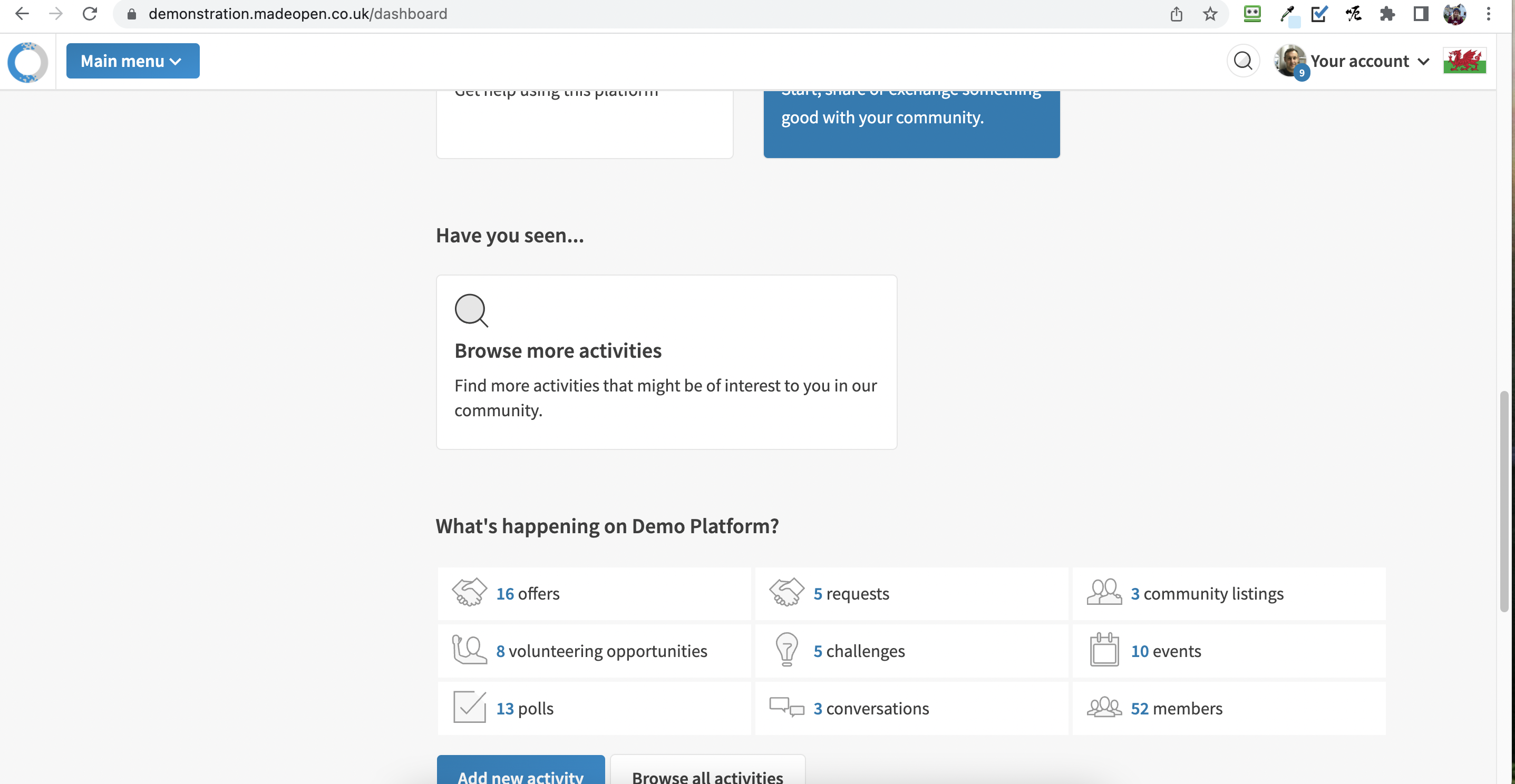
For these CTAs, we need:
- Title
- Icon (we could choose the most appropriate)
- Description
- URL link
Registered welcome screen CTAs
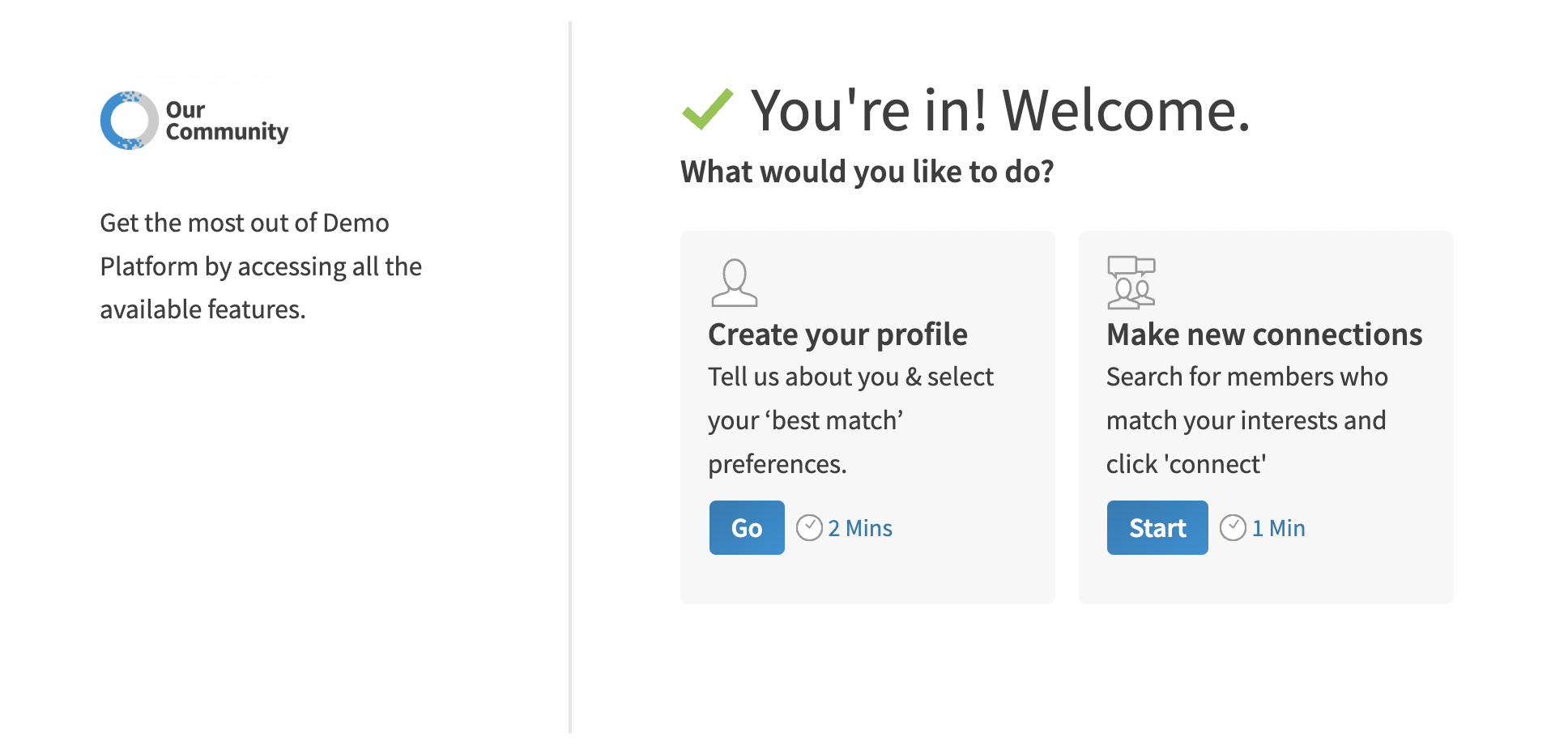
For these CTAs, we need:
- Title
- Icon (we could choose the most appropriate)
- Description
- Button word
- URL link
- Length of time the action will take (eg. 2 minutes to complete a profile)